For parents running the after-school shuttle
The family calendar that tells you when to leave for every drop-off and pickup.
Kidbud puts every kid's classes in one shared calendar, splits drop-offs and pickups with your spouse, and sends a traffic-aware Leave Now alert so your kid is never late to class or the last one waiting at pickup.


On iPhone and Android. One subscription covers your whole family.
What is Kidbud?
Kidbud is a family calendar app for iPhone and Android, built for parents who drive their kids to after-school activities. It combines a shared calendar for every child, drop-off and pickup assignments between two parents, traffic-aware reminders that say when to leave, birthday party invites with RSVPs, and a directory of local kids' classes.
- Platforms
- iPhone and Android
- Price
- $59.99/yr or $12.99/mo
- Who it covers
- Your whole family, one plan
- Best at
- Drop-offs, pickups, handoffs
Leave Now reminders
Leave on time for every drop-off and pickup.
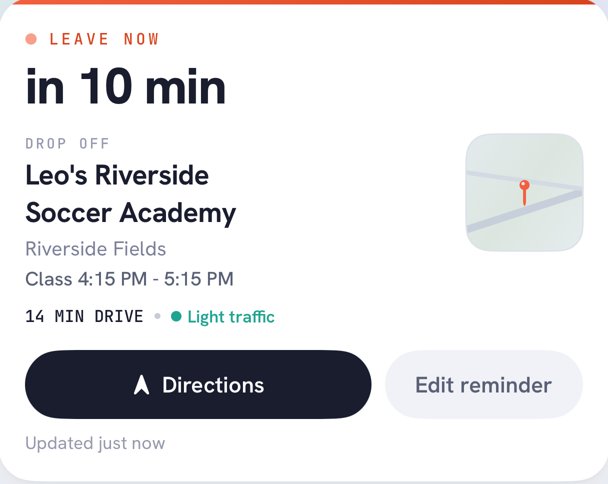
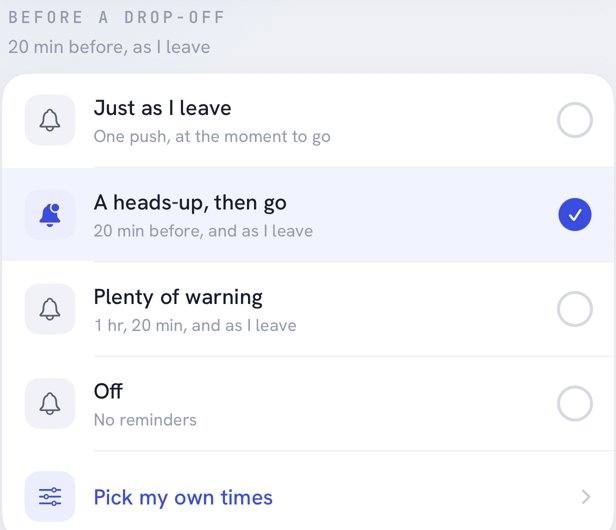
Kidbud checks live traffic between you and the class, then pings you when it is actually time to go, whether you are dropping off or picking up. Pick a heads-up 20 minutes before, a nudge as you leave, or your own times. No more rushing in after class has started, and no more late pickup fees.
- 01Drive time recalculated with current traffic
- 02Separate timing for drop-offs and pickups
- 03One tap to directions
Tuesday · Leo's soccer

Drop-off and pickup handoffs
Split drop-offs and pickups with your spouse.
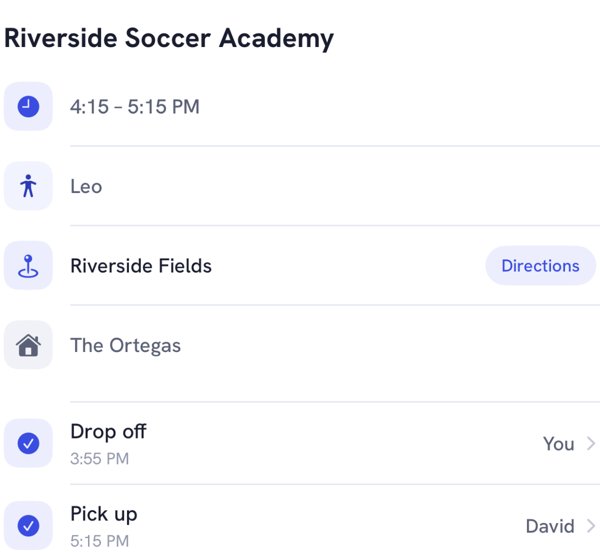
Assign each leg of every class to one of you. The person driving gets the reminder, the other parent sees it is covered, and nobody has to text "are you getting her?" at 4:50.
Shared family calendar
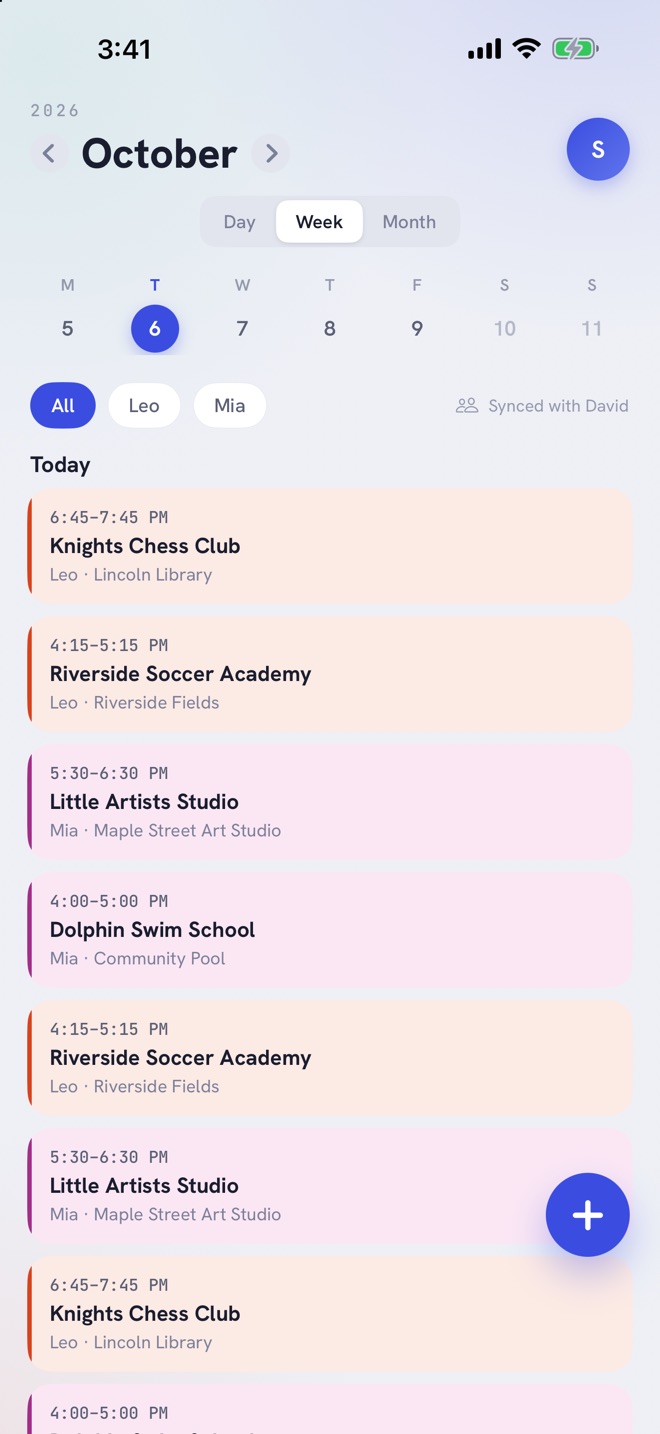
See every kid's day in one place.
Swim at three, soccer at four, art at half five. Filter by child, flip between day, week and month, and keep it synced with your spouse automatically.
Party invites
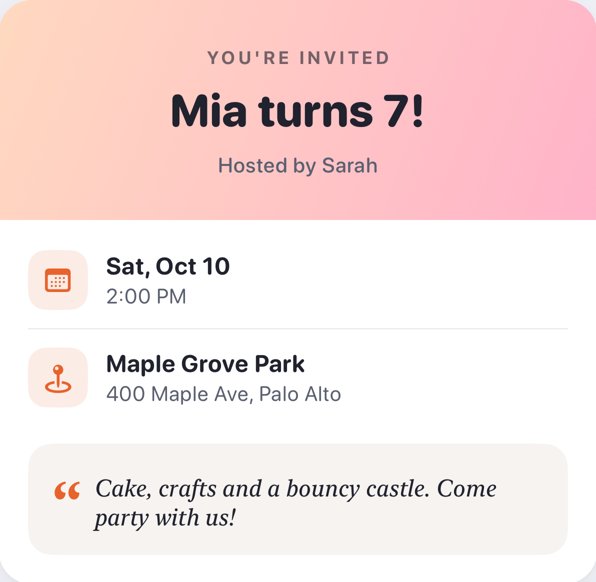
Send party invites in minutes.
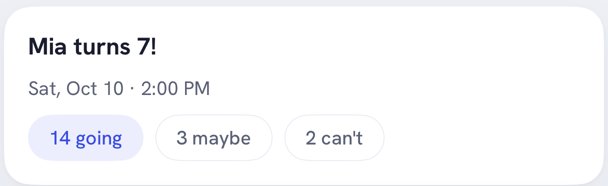
Make a birthday invite, share it with a link, and watch the RSVPs come in. Going, maybe and can't, counted for you.
Discover classes
Find classes your kid will love.
Browse soccer clubs, art studios and chess academies near you, matched to each child's interests, then add one to the calendar in a tap.
 Top pick for LeoRiverside Sports ClubMatches Leo's interest: Soccer
 For LeoKnights Chess AcademyMatches Leo's interest: Chess
 For MiaLittle Artists StudioMatches Mia's interest: Art
Set up in three steps
- 1
Add your kids and their classes
Enter each class once with its day, time and place. Kidbud repeats it every week.
- 2
Invite your spouse
Share the family so you both see the same calendar and who is driving which leg.
- 3
Get told when to leave
Leave Now alerts arrive based on traffic, so the driver is on time without watching the clock.
One plan for the whole family
Whoever subscribes covers everyone they invite: your spouse, a nanny, the grandparents. Same features on both plans.
About $5 a month, billed once a year
Cancel any time in your store settings
Guides for the after-school juggle
All guidesQuestions parents ask
How much does Kidbud cost?
Kidbud is a subscription app: $59.99 a year or $12.99 a month, on iPhone and Android. One subscription covers the whole family, so your spouse and any caregivers or grandparents you invite do not pay again.
How does Kidbud know when I should leave?
Kidbud estimates the drive from your location to the class using current traffic, then sends a Leave Now alert at the time you choose: as you need to leave, 20 minutes before, or your own schedule.
Can my spouse and I share one calendar?
Yes. Invite your spouse to your family and you both see the same classes and events. Each drop-off and pickup can be assigned to either parent, and only the assigned driver gets the reminder.
How is Kidbud different from Cozi or TimeTree?
Cozi and TimeTree are general shared calendars. Kidbud is built around driving kids to activities: it knows who is doing each drop-off and pickup and tells that parent when to leave based on traffic.
Can I send birthday party invites with Kidbud?
Yes. Create an invite with the date, place and a note, share it, and Kidbud tracks who is going, who might come and who can't.
Does Kidbud work on Android?
Yes. Kidbud is on the App Store and Google Play, and an iPhone parent and an Android parent can share the same family.
Be on time for every drop-off and pickup.